AI Christmas Light Filter
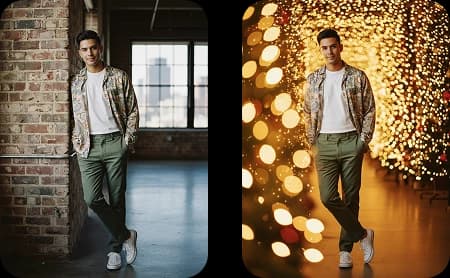
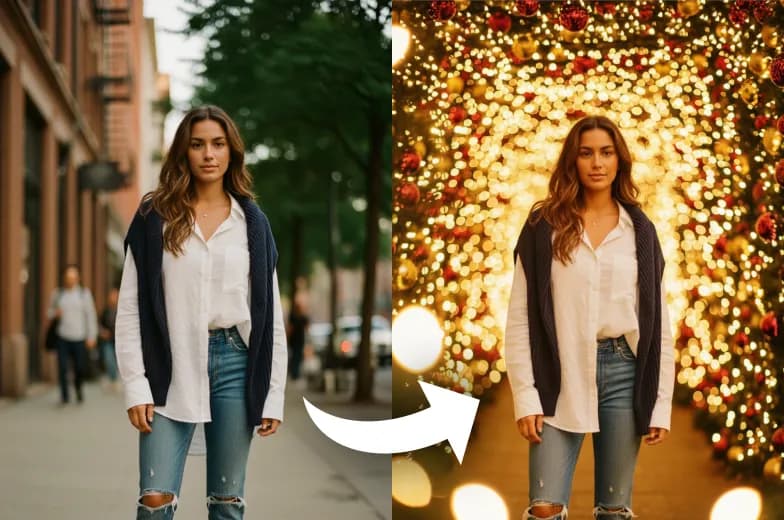
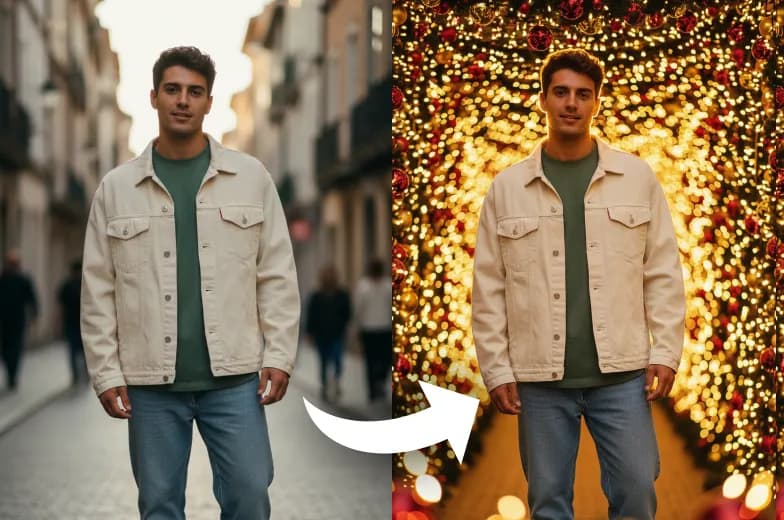
AI Christmas Light Filter adds warm holiday lights, gentle glows, and colorful Christmas accents to your photo. It’s an easy way to give your picture a bright, festive look perfect for the holiday season.
Upload Your Original Image
or drag and drop PNG, JPG or WEBP
Sample Images




How It Work
How Add Christmas Light To Photo Works?
Upload Photo
Start by uploading a clear photo that you want to add Christmas lights to. For best results, use a high-quality image with good lighting and a clear subject.
Generate Image
Click the “Generate Now” button. The AI will instantly add festive, glowing lights to your photo.
Download & Share
Once your photo with Christmas lights is ready, you can download it to your device or share it with friends.
Examples
Add Christmas Light to Photo – Example
Testimonials
What People Say about us
Olivia
Content Creator
My followers absolutely loved the glowing Christmas light effect on my latest post! It really made my photos pop for the holidays.
Ethan
Android user from USA
Super easy to use. I added some festive lights to my family photo in just a few seconds with Dreamshot. Love it!
Savannah
Digital Artist
This tool is a game-changer for my holiday-themed projects. The Christmas light effects are stunningly realistic and beautiful.
Similar Tools
Check Out Other Trending Image Effects


FAQs
FAQs About Add Christmas Light To Photo
Inspiration
Created with DreamShot